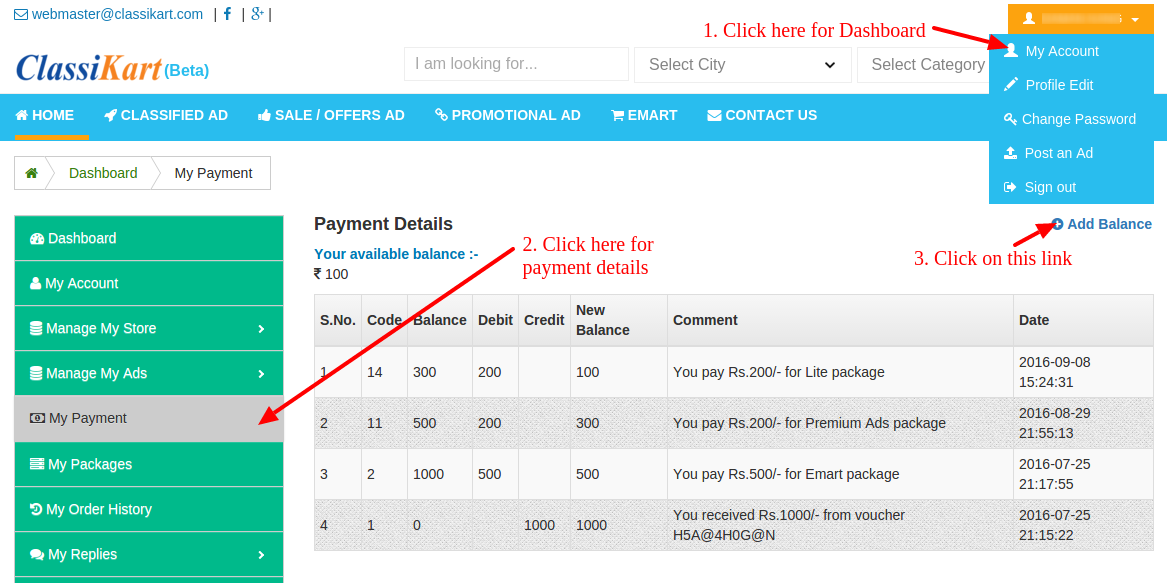
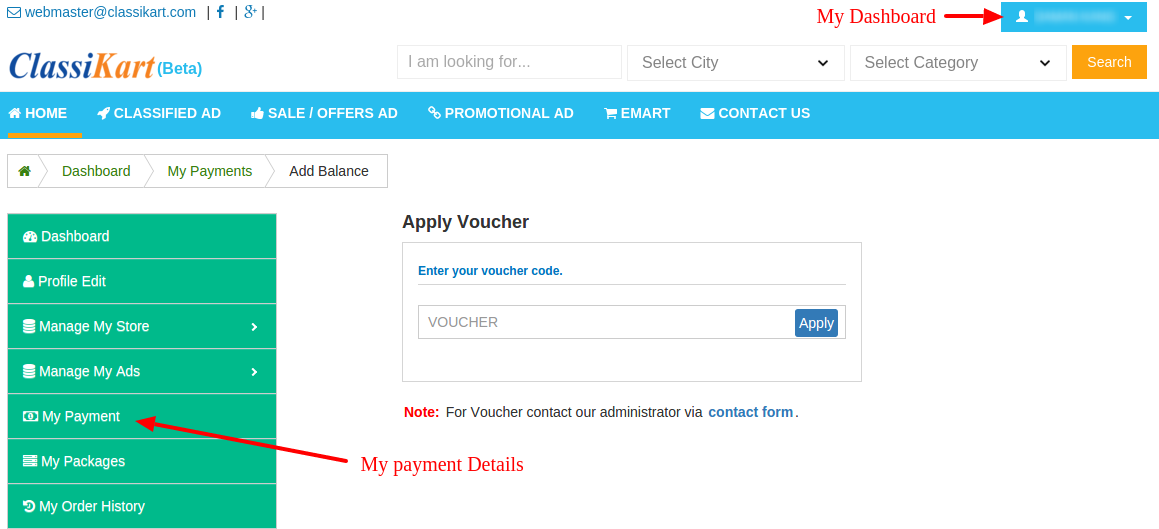
1. How to Add Balance? Go to Dashboard >> Add Balance Link
OR
Go to Dashboard >> My Payment >> Add Balance Link on right side of Payment Details.
2. How can I Get Voucher? For Voucher contact our administrator via contact form or send email on webmaster@classikart.com
3. Is Voucher and Coupon are same? No, Voucher is only applicable on classikart.com and Coupon is only applicable on particular seller store .
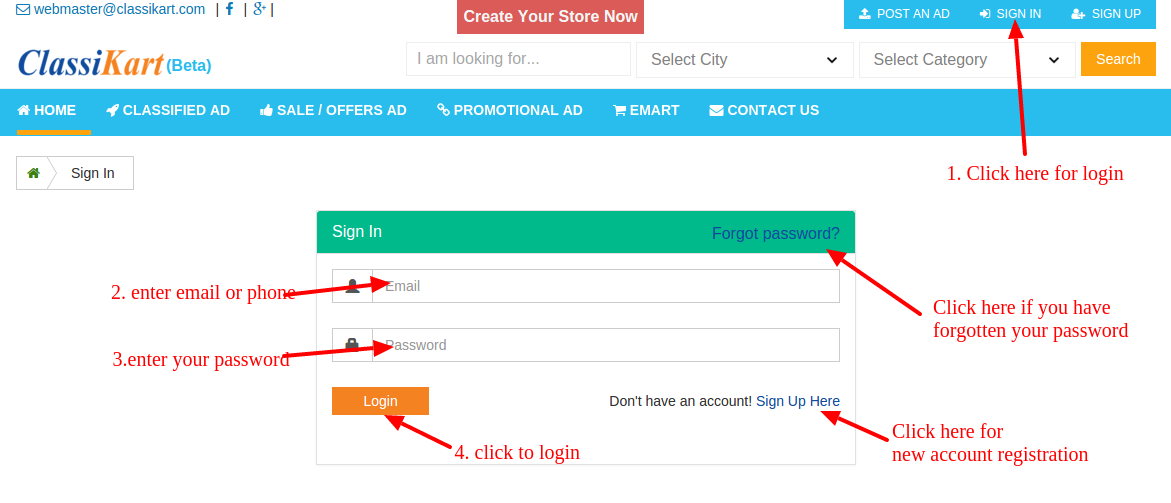
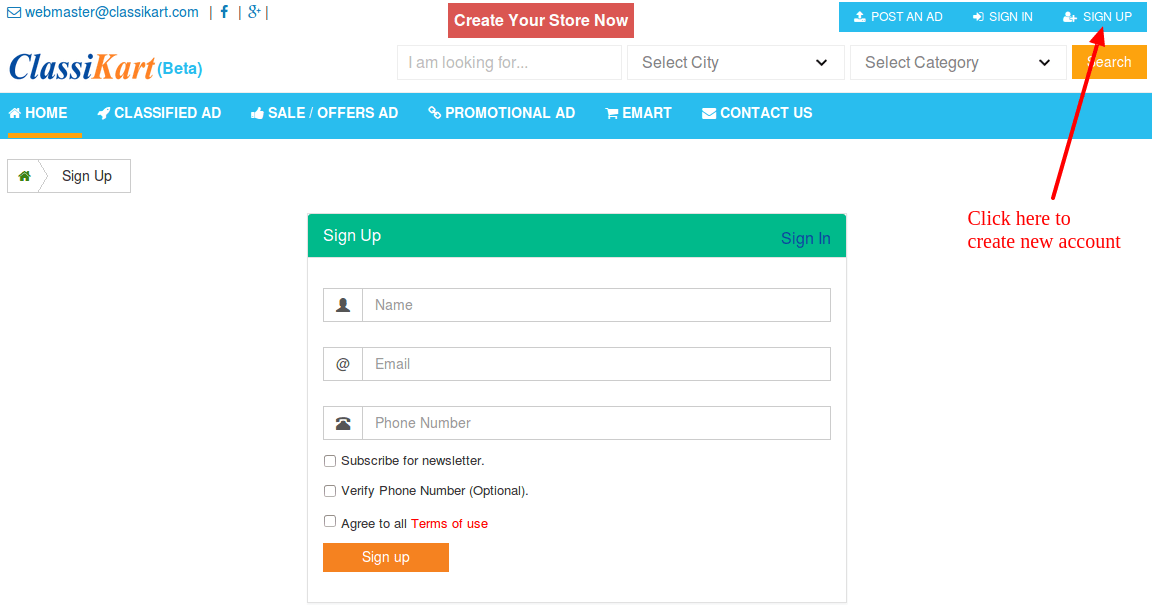
4. How do I log in to my account? To log in to your account you will need to click SIGN IN, which is located at the top right-hand side of the website. You will need your email or phone (which you used at the time of registration) and password (if you have forgotten your password, click Forgot password on the sign in page).
To create an account, click here.
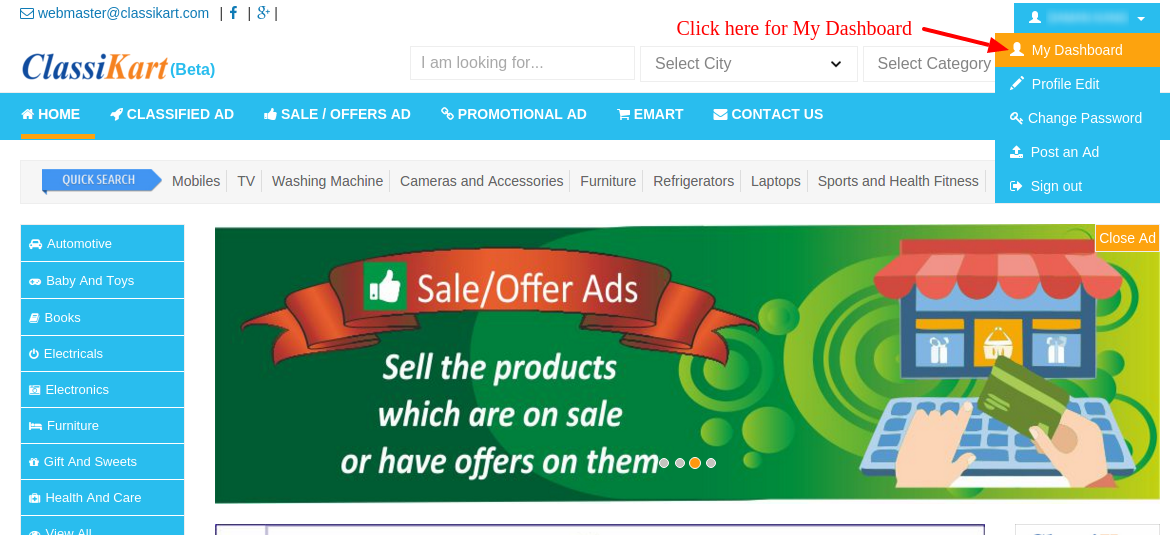
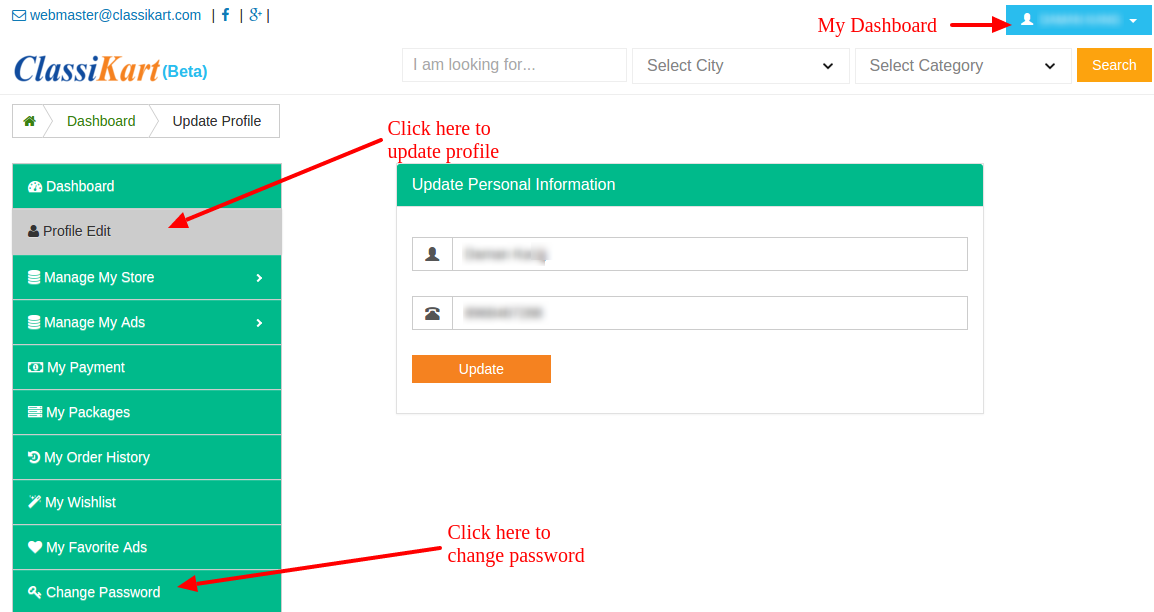
5. How do I update my profile information or change my password?To update your profile information, sign in to your account, go to Dashboard and click Profile Edit. To change your password, select Change Password from Dashboard.
6. What is the difference between a casual user and a registered user? Registering an account with classikart.com is free and allows you to enjoy the following features:
To register an account, click here.
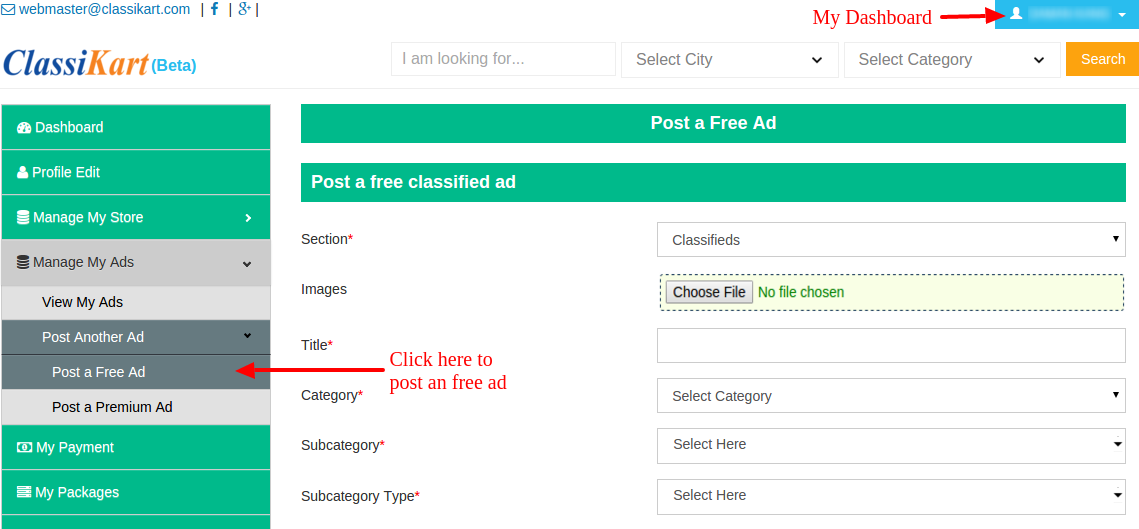
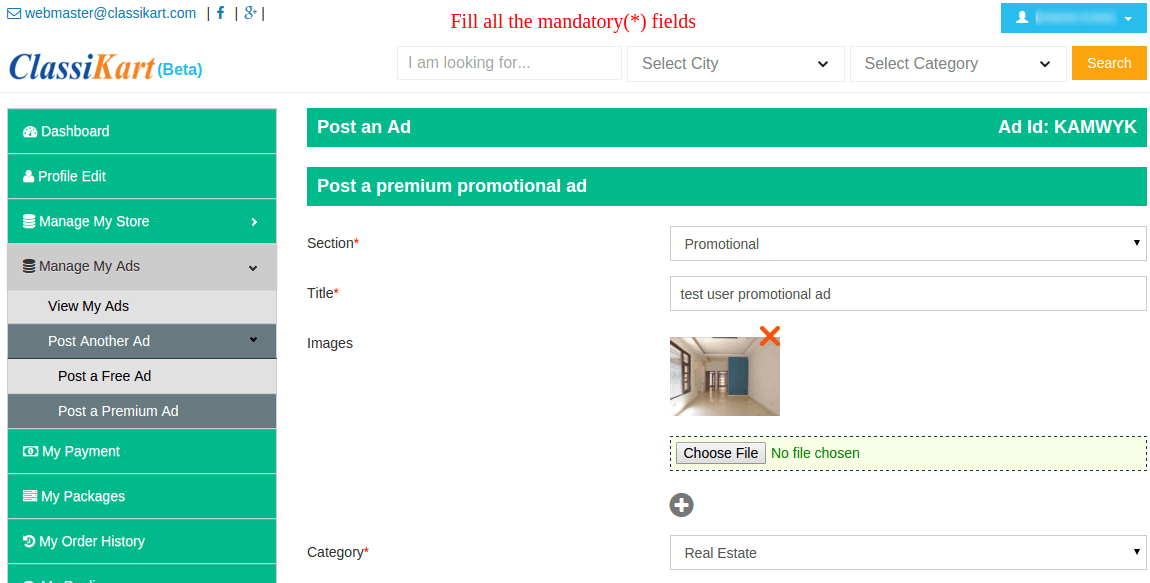
7. Do I need to pay to post an ad on classikart.com? If you want to post a premium ad then you have to pay according to package you select but if you post a free ad, it is free of cost.
8. How free ads are different from premium ad? User can enter limited description and can't post images in free ads.
Premium ads always show on top in search.
Premium ads are also shown in home page slider.
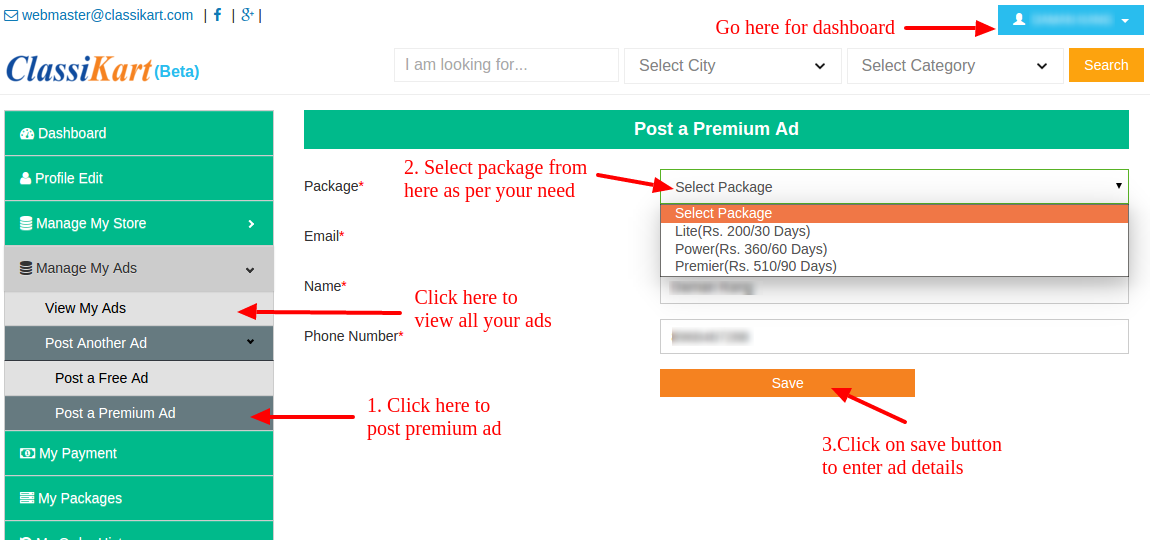
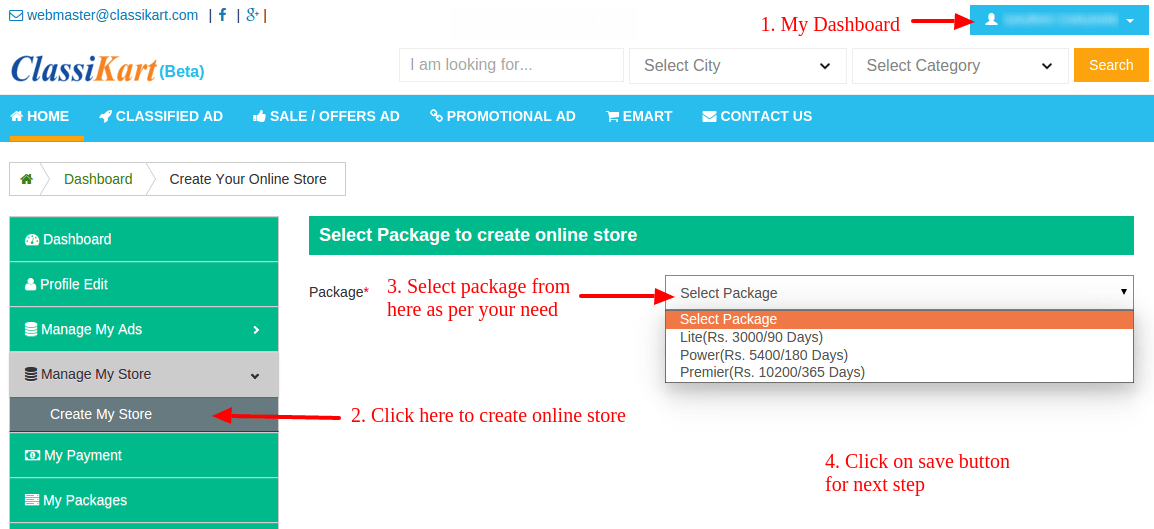
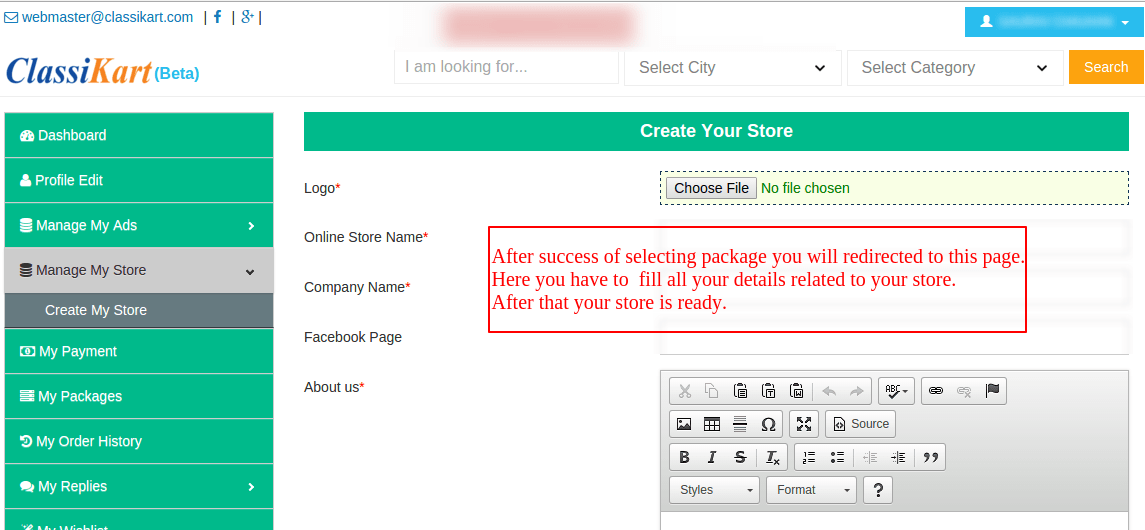
9. How to get package to post an premium ad on classikart.com? First you have to login to get package to post an premium ad. After that follows steps as mentioned below:
10. How long will the ad be posted online on classikart.com? By default, free ads are posted for 120 days. However, if you wish, you can unpublish your ad early.
After this period, the ad will automatically expire. You may renew or republish the ad for an additional period. Once again, this is free for free ads and paid for premium ads.
11. Can I post images with my ads? Is there a fee for this? You can only post images in premium ads and for that you have to take service of premium ad by purchasing a package.
12. How long will it take before my ad is published? All ads are manually reviewed before being published. It typically takes 1-2 business days for a new ad to be posted. If you do not see the ad published within 2 business days, or if you wish for your ad to be published immediately, please send an email to webmaster@classikart.com.
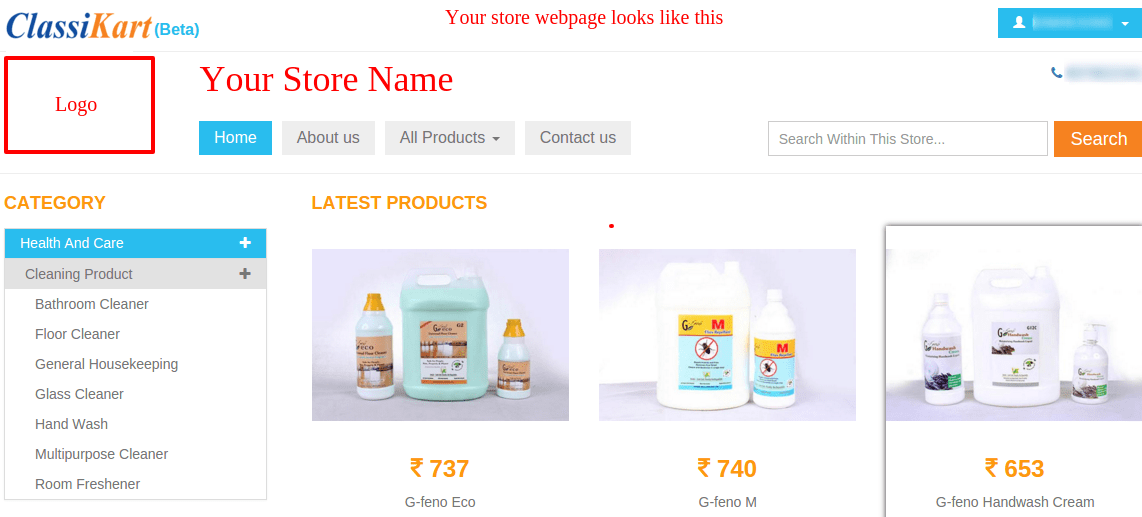
13. What do you mean by an online store at classikart.com? At classikart.com, you will get a webpage with your store name, logo and products’ listing.
Creating your store at classikart.com brings an ocean of opportunities to you. You can showcase and sell your products through us to our vast number of regular visitors.
On agreement of our terms and conditions you become an authorized channel partner hence can display and sell your product at E-Mart. We take care of all technical assistance to update you with new orders and shipping details.
14. How can I create a online store at classikart.com? After you’ve successfully registered, do following steps:
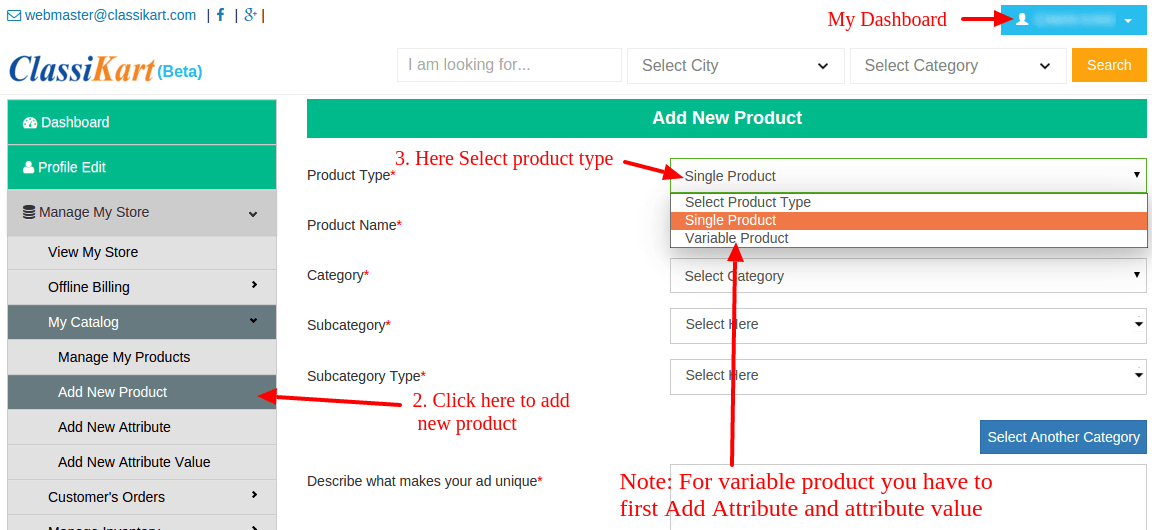
15. How can I upload my products in online store? To add new product you have to follow some simple steps.
Follow the below flow chart to add product.
click on My Dashboard >> Manage My Store >> My Catalog >> Add new Product to add new product in your online store.
You can add two type of product:
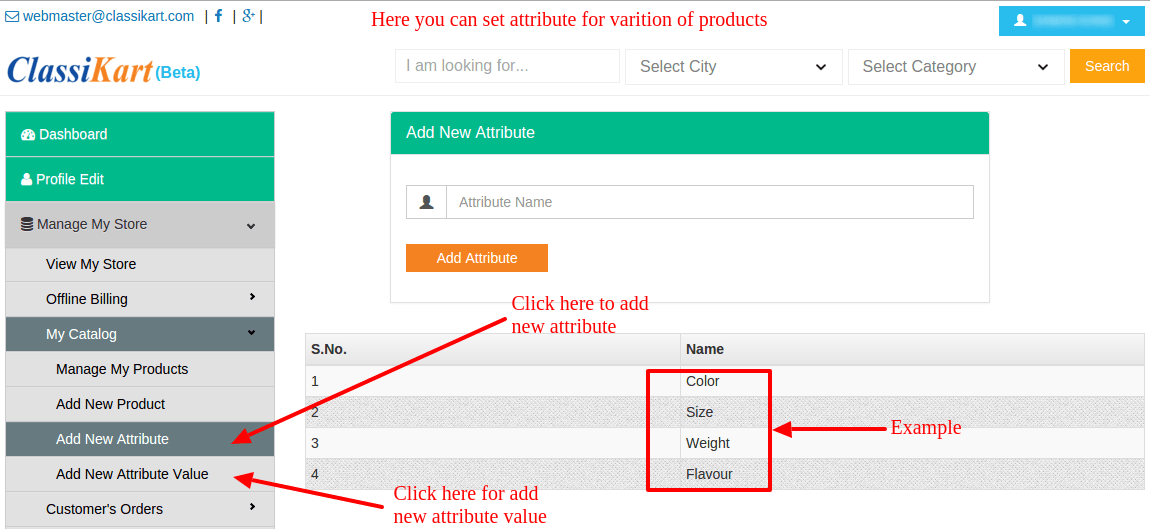
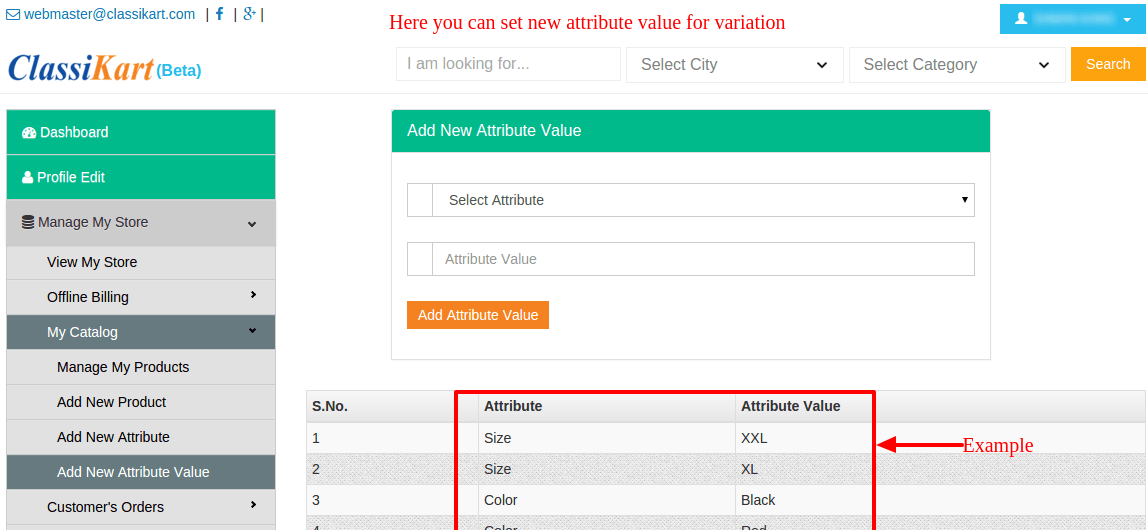
16. How can I add variation of product in my online store at classikart.com? To add variation you have to first add Attributes and Attribute values for that you have to follow below steps
17. Who manages shipping at classikart.com? The store owner is responsible for the distribution of its products.
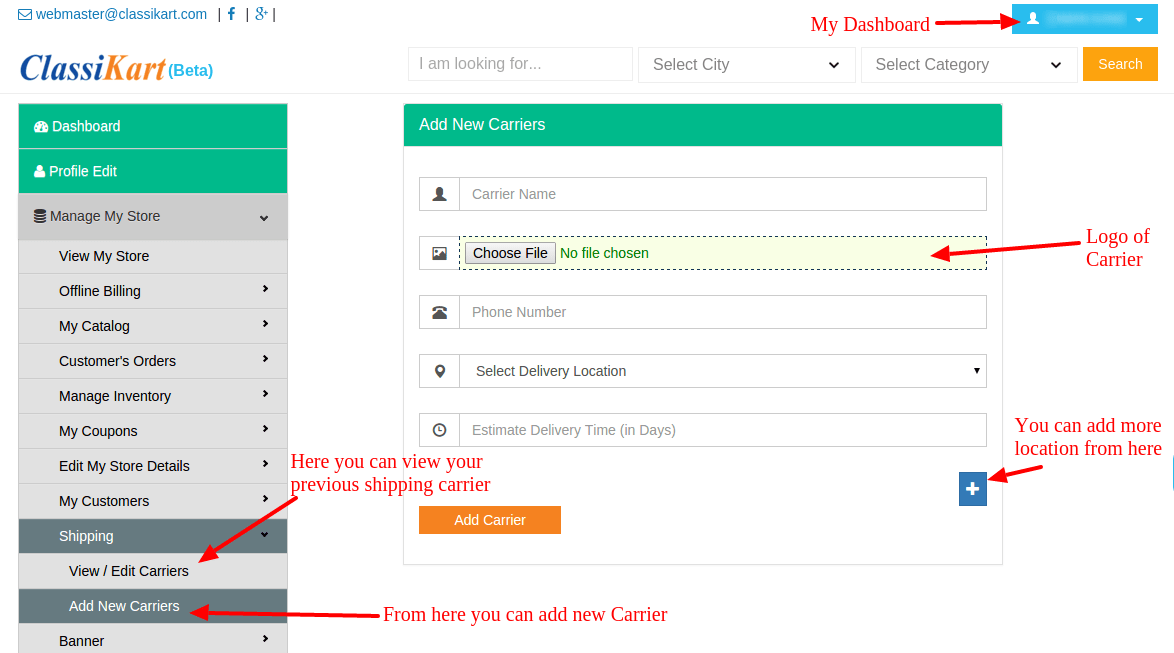
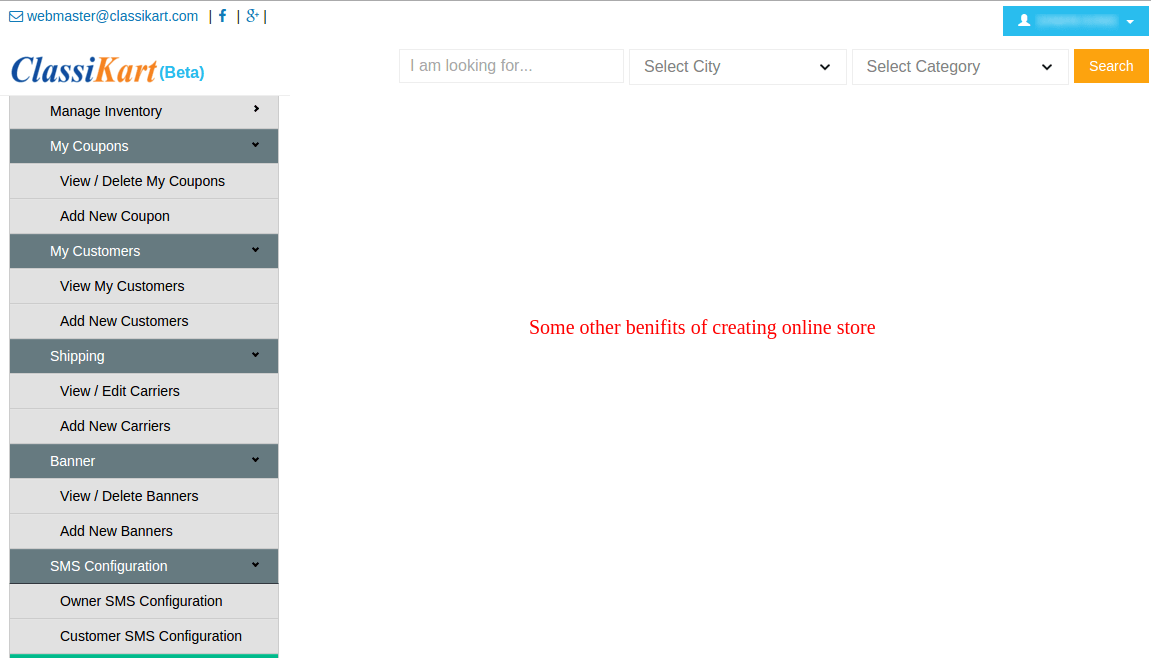
18. How can i manage shipping at classikart.com? At classikart.com shipping management is very simple.
Just follow the below steps:
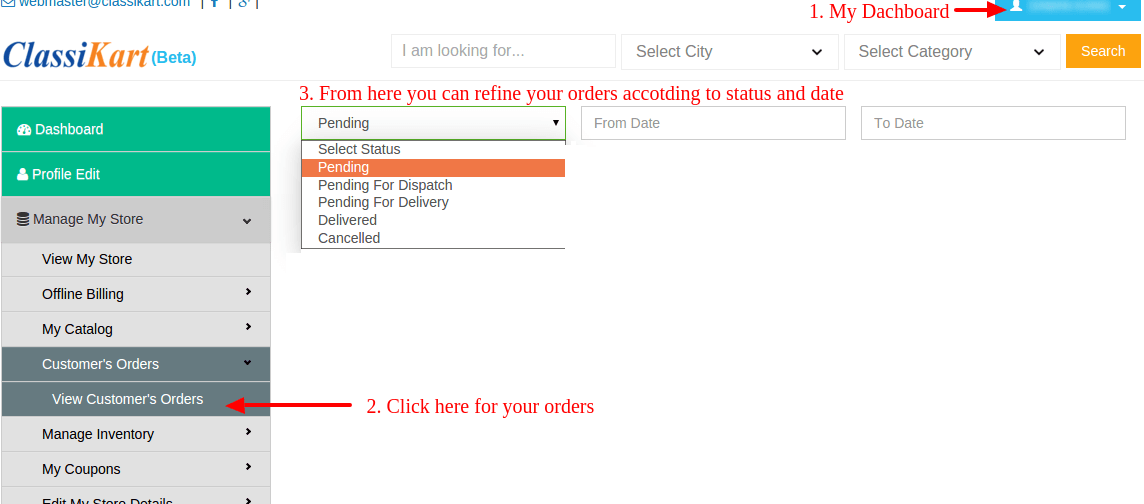
19. How can i manage my orders at classikart.com?follow the below steps:
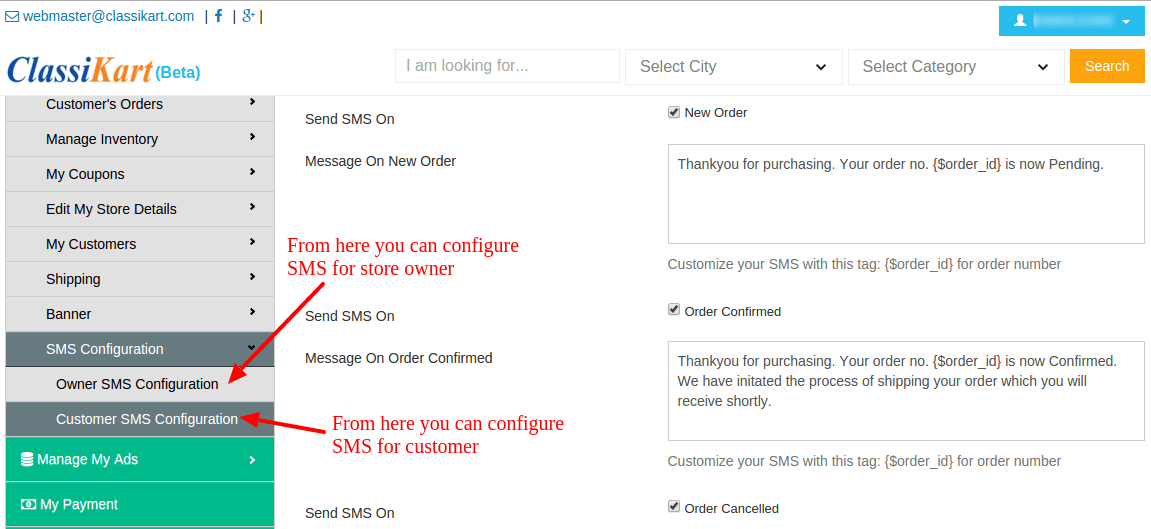
20. How can I inform my customer about order? At classikart.com, You can inform your customer about his/her order in two way:
21. What is SMS Configuration? What is the use of SMS Configuration for me? SMS Congiuration is a feature by which both seller and customer will get insant notification on phone whether connecting to internet or not. This will keep you as well as your customer about the status of order.
Example: if you activate this, on every new order you will get a new message on your phone(which you mention at the time of SMS Configuration).
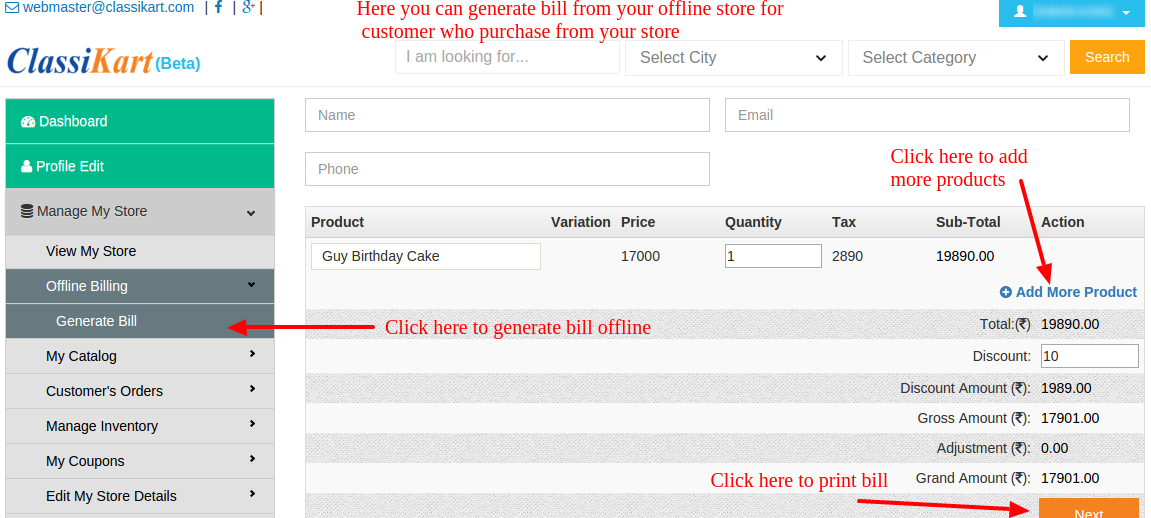
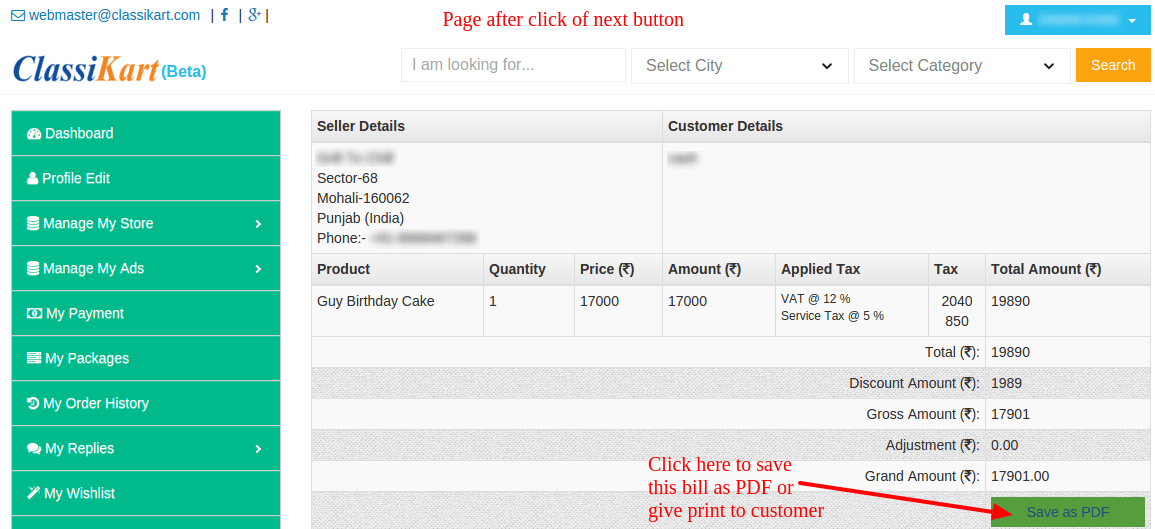
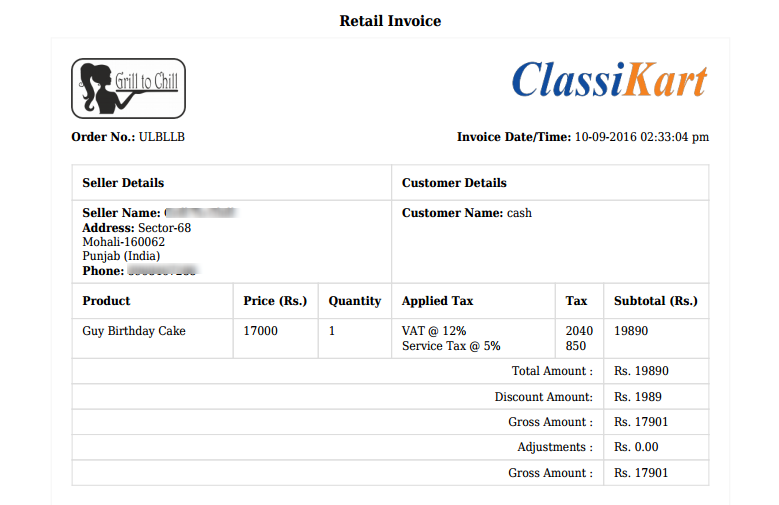
22. What is Offline billing at classikart.com? classikart.com provides a feature of Offline billing which helps you to manage inventory, billing and updated status of your products sold through online or offline modes.
This enables you to generate bills for any sale at offline store without any extra cost.
We have demonstrated in images .
23. Who provides the customer service? classikart.com provides all the technology, payments, returns and pre-sales/ point of sale services. The entire post-sale services are to be provided by the merchants.
24. Who does the customer contact for post-sales services?The product related issues are to be handled directly by merchants. classikart.com is not equipped to handle any product or manufacturer related issues, repairs, maintenance and/or services.

 Newsletter